
How to Pack Electronics Safely for Long Distance Moving
Moving to a new city is exciting — but when it comes to packing your expensive electronics, things can get nerve-wracking very quickly. Televisions, laptops, home theatre systems, refrigerators, washing machines — these are not just costly gadgets, they are an essential part of your daily life. One wrong move during transit and your favourite LED TV or gaming setup could arrive cracked, broken, or worse — completely dead.
That is why professional movers in Mohali always recommend giving electronics special attention during the packing process. Whether you are shifting locally or moving hundreds of kilometres away, the way you pack your electronics makes all the difference between a smooth move and an expensive disaster.
In this complete guide, we walk you through everything you need to know about pack electronics safely for long distance moving — from the materials you need to the exact steps for each type of device.
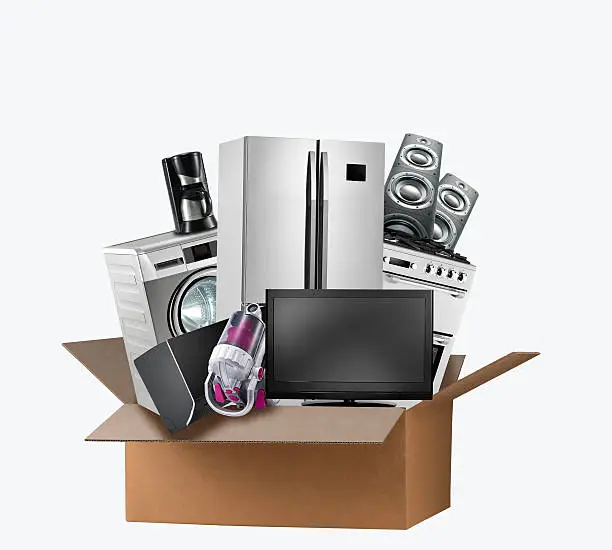
Why Electronics Need Special Care During Moving
Electronics are among the most vulnerable items during relocation. Here is why they need extra attention:
Fragility — Screens, circuit boards, and internal components can crack or break from even minor impacts or vibrations during transit.
Sensitivity to Temperature — Extreme heat or cold can damage batteries, screens, and delicate internal parts, especially during long distance moves.
Static Electricity — Improper packing materials can generate static electricity that permanently damages sensitive electronic components.
Size and Shape — Many electronics are awkwardly shaped, making them difficult to pack securely without the right materials and technique.
Experienced packers and movers in Mohali understand these risks well. They use industry-standard packing methods and materials specifically designed to protect electronics during long hauls. If you are packing on your own, this guide will help you replicate those professional standards.
Step 1 — Gather the Right Packing Materials
Before you start packing a single device, make sure you have all the necessary materials ready. Using the wrong materials is one of the most common mistakes people make when packing electronics.
Here is what you will need:
- Original boxes — Always the best option if available. They are designed specifically for the device.
- Bubble wrap — For wrapping screens, monitors, and fragile surfaces.
- Anti-static bubble wrap — Specifically for computers, hard drives, and other sensitive components. Regular bubble wrap can generate static.
- Foam padding / packing foam — For filling empty spaces inside boxes and cushioning devices.
- Packing peanuts — For additional cushioning inside boxes.
- Strong corrugated cardboard boxes — Double-walled boxes are best for heavy items like TVs and desktop computers.
- Packing tape — Use strong, wide tape to seal boxes securely.
- Zip-lock bags — For cables, chargers, remote controls, and small accessories.
- Permanent marker and labels — For labelling boxes clearly.
- Silica gel packets — To absorb moisture inside boxes during long transit.
Pro tip from Mohali Express Packers and Movers — never use newspaper directly on electronics. The ink can transfer onto surfaces and in some cases cause damage to sensitive equipment.
Step 2 — Back Up All Your Data First
Before you pack a single device, back up all important data. This is non-negotiable.
Hard drives and SSDs can get damaged during transit even when packed carefully. A sudden jolt or drop can cause data loss that no amount of careful packing can prevent.
What to back up:
- Laptop and desktop data — Use an external hard drive or cloud storage like Google Drive or OneDrive
- Smartphone data — Back up to Google or iCloud
- Tablets — Sync to your computer or cloud account
- External hard drives — Make a duplicate copy before packing
This step takes just a few hours but can save you from losing years of important files, photos, and documents.
Step 3 — Photograph All Cable Connections Before Unplugging
This is a small but incredibly useful tip that professional movers in Mohali swear by.
Before you unplug anything – your TV setup, home theatre system, desktop computer, gaming console – take clear photographs of all the cables and how they are connected. This will save you enormous time and confusion when you are setting everything up in your new home.
Label each cable with a small piece of tape and a marker so you know exactly which cable belongs to which device. Put all cables, chargers, and remotes in labelled zip-lock bags and tape them to the outside of the corresponding device box — or pack them separately in a clearly labelled box.
Step 4 – How to Pack Specific Electronics
Televisions (LED / OLED / Smart TVs)
A television screen is one of the most fragile items in your entire home. Even a small crack renders it useless.
How to pack your TV:
- If you have the original box — use it. It is perfectly moulded for your TV with foam inserts that hold it securely.
- If you do not have the original box, wrap the screen with a soft microfibre cloth first, then cover it entirely with bubble wrap — at least 3 to 4 layers.
- Place foam padding on all four corners and edges.
- Place the wrapped TV in a sturdy double-walled cardboard box. Fill all empty spaces with foam or packing peanuts.
- Seal the box tightly and write “FRAGILE – THIS SIDE UP” clearly on all sides.
- Never lay a TV flat during transport. Always keep it upright.
Laptops and Computers
For laptops:
- Remove the battery if possible.
- Wrap the laptop in anti-static bubble wrap.
- Place it in a padded laptop bag or a snug-fitting box with foam padding on all sides.
- Pack the charger and accessories separately in a zip-lock bag.
For desktop computers:
- Remove all external cables and accessories.
- If possible, remove the graphics card and RAM and pack them separately in anti-static bags.
- Wrap the CPU tower in anti-static bubble wrap, then in regular bubble wrap.
- Place it in a sturdy box with foam padding on all sides and bottom.
- Mark the box as “FRAGILE – ELECTRONIC EQUIPMENT.”
Printers and Scanners
- Remove ink cartridges and pack them separately in a sealed zip-lock bag to prevent leaks.
- Remove all paper from the paper tray.
- Secure any moving parts with tape or foam.
- Wrap the entire unit in bubble wrap and place in its original box or a well-padded cardboard box.
Gaming Consoles
- Remove all discs and accessories.
- Wrap the console in anti-static bubble wrap.
- Pack controllers, cables, and headsets separately in labelled zip-lock bags.
- Place the console in a snug box with foam padding on all sides.
Smartphones and Tablets
- Power them off completely.
- Wrap each device individually in bubble wrap.
- Place them in a small, padded box or pouch.
- Never pack them loosely inside large boxes with heavier items.
Home Appliances (Refrigerator, Washing Machine, Microwave)
Large home appliances require professional handling. This is where expert packers and movers in Mohali truly add value.
For refrigerators:
- Defrost and clean the fridge at least 24 hours before moving.
- Remove all shelves and drawers and wrap them separately.
- Secure the door with tape or a strap so it does not open during transit.
- Keep the fridge upright during transport. Laying it on its side can damage the compressor.
For washing machines:
- Remove all water from the drum.
- Use transit bolts to secure the drum — if you have lost them, ask a technician to install them before moving.
- Disconnect all hoses and pack them separately.
For microwaves:
- Remove the glass turntable and wrap it separately with bubble wrap.
- Wrap the microwave in foam padding and place it in a sturdy box.
Step 5 — Label Every Box Clearly
Labelling is one of the most underrated steps in the entire packing process. Every box containing electronics should be clearly labelled with:
- The name of the device inside
- “FRAGILE” in bold letters
- “THIS SIDE UP” with an arrow
- The room it belongs to in the new home
- “HANDLE WITH CARE”
This ensures that movers and handlers treat the box with the care it deserves at every stage of the move. The team at Mohali Express Packers and Movers follows a strict colour-coded labelling system for all electronics to make sure they are handled separately from regular household items.
Step 6 — Special Tips for Long Distance Moving
Long distance moves add extra challenges because your electronics will be in transit for longer periods, exposed to road vibrations, temperature changes, and multiple handling points.
Here are some additional tips specifically for long distance relocation:
Use silica gel packets inside every electronics box to absorb moisture, especially during monsoon season or humid weather conditions.
Double-box heavy or expensive items — place the packed device inside one box, then place that box inside a larger box with foam padding around it for double protection.
Avoid packing electronics in the same box as heavy items — books, tools, or kitchen items can shift during transit and crush delicate devices.
Transport laptops, tablets, and smartphones with you personally if possible — carry them in your bag rather than leaving them in the moving truck.
Inform your movers in advance about which boxes contain electronics so that they are loaded last onto the truck and unloaded first, minimising the time they spend under the weight of other boxes.
Step 7 — What to Do After Arriving at Your New Home
Once you arrive at your destination, do not rush to set everything up immediately.
Allow electronics to acclimatise — If the weather has been cold during transit, give devices at least 2 to 3 hours to reach room temperature before switching them on. Turning on cold electronics can cause condensation damage.
Inspect everything before unpacking — Check all boxes for any visible damage before opening them. If a box is damaged, photograph it before unpacking and note it in your moving report.
Test each device — Once set up, test every device to confirm it is working correctly. Report any damage to your moving company immediately.
Do not plug in the refrigerator immediately — Wait at least 4 to 6 hours after the fridge has been upright before switching it on to allow the compressor oil to settle.
When Should You Hire Professional Packers and Movers?
While this guide gives you everything you need to pack electronics on your own, there are situations where hiring professionals is simply the smarter choice:
- You have a large number of expensive electronics like home theatres, large TVs, and high-end computers
- You are moving a long distance — interstate or cross-country
- You do not have the time or manpower to pack carefully
- You want insurance coverage for your goods during transit
Mohali Express Packers and Movers offers specialised electronics packing services using industry-grade materials and trained packing professionals. Their team is experienced in handling everything from 85-inch OLED televisions to delicate server equipment for office relocations. As one of the most trusted packers and movers in Mohali, they ensure that every electronic item is packed, loaded, transported, and delivered with zero compromise on safety.
Conclusion
Packing electronics safely for long distance moving is not rocket science — but it does require the right materials, the right technique, and a lot of patience. From backing up your data and photographing cable connections to using anti-static wrap and labelling every box clearly, every step plays a crucial role in getting your devices to your new home in perfect condition.
If you want complete peace of mind, consider trusting the experts. The best movers in Mohali combine professional-grade packing with careful handling and real accountability — so that your most valuable gadgets arrive safely, no matter how far you are moving.
Ready to plan your move? Contact Mohali Express Packers and Movers today for a free survey and quote. Because your electronics deserve nothing but the best care on the road!